
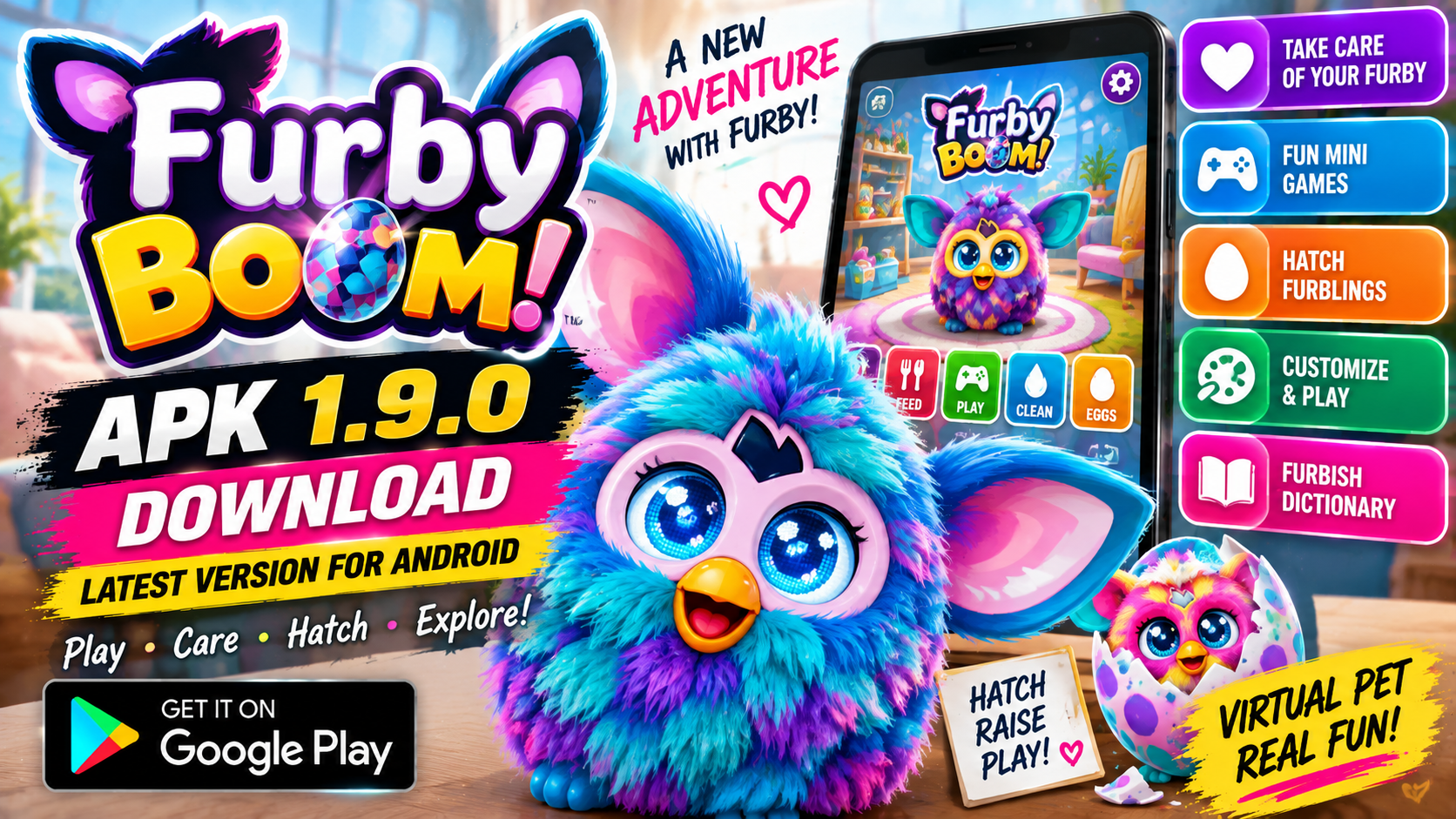
Furby BOOM APK 1.9.0 Download Latest Version For Android is a popular search topic for users who still own a Furby Boom toy and want to use the old companion app on an Android device. The Furby Boom app was originally created by Hasbro to work with the Furby Boom creature and add extra digital features such as caring for Furby, feeding, cleaning, mini games, Furblings, eggs, and the Furbish translator.
However, users should know one important fact before downloading anything: Hasbro says the Furby Boom app is no longer available to download, and devices that already have it installed may still be able to use it, but no new updates will be released.
This means Furby BOOM APK 1.9.0 is mainly searched by people who want an older Android APK or XAPK file for nostalgia, collection, or use with an older Furby Boom toy. This guide explains the app features, version 1.9.0 details, compatibility notes, safe download tips, risks of third-party APK files, and whether the app is still worth trying on Android.
What Is Furby BOOM?
Furby BOOM is a companion mobile app for the Furby Boom toy line from Hasbro. The app was designed to make the Furby experience more interactive by connecting the physical toy with digital activities on a phone or tablet.
Through the app, users could take care of their Furby, check Furby’s needs, feed it, clean it, play mini games, manage Furblings, collect eggs, and use Furby-related tools. Hasbro’s app feature description lists areas such as the Furby Dashboard, Sick Bay, Poop Station, Shower, Pantry, Furbling Dashboard, Spa, Juice Bar, Play Room, mini games, Egg Carton, Friends Book, Neighborhood, Furby Gadgets, Translator, Furbish Dictionary, Settings, and Help Menu.
The app was especially popular with kids and Furby collectors because it made the toy feel more alive. Instead of only playing with the Furby toy by itself, users could interact with it through digital menus and activities.
Important Official Availability Note
The most important thing to understand is that Furby BOOM is an old app. Hasbro’s official support page clearly notes that the app is no longer available to download, and that devices with the app already installed may still be able to use it, but no new updates will be released.
This matters because many websites may still list Furby BOOM APK 1.9.0 as a download, but those downloads are not the same as a fresh official Google Play download. Users should be careful and understand that old apps may not work properly on modern Android versions.
If you already have the app installed on an old supported phone or tablet, it may work better than installing it on a newer Android device.
Furby BOOM APK 1.9.0 Version Details
The title mentions Furby BOOM APK 1.9.0, which is widely listed as the latest known Android version by third-party APK sites. APKPure lists Furby BOOM version 1.9.0, updated June 13, 2015, with package name com.hasbro.FurbyBoom, file format XAPK, Android OS requirement Android 2.3.4+, and a file size around 270.7 MB.
APKPure’s version notes for 1.9.0 mention improvements such as better support on hundreds of devices, removal of a beeping sound on some devices, faster and easier care for Furby’s needs, a funny bathroom interaction, and special facts about Furblings when tapping their names.
Because this is an older app, users should not assume it will run perfectly on every modern Android phone. Compatibility depends on Android version, device architecture, microphone support, app installer, and whether the app can access the files it needs.
Android Compatibility
Hasbro’s official support page lists older supported Android devices such as Samsung Galaxy S2, S3, S3 Mini, S4, S4 Mini, Galaxy Note devices, Galaxy Tab devices, Motorola Droid RAZR HD models, Google Nexus 4, Google Nexus 7, and some Kindle Fire HD devices. Hasbro also notes that the device must be running Android OS 2.3.3 or later.
This compatibility list shows that the app was built for much older Android devices. Even if the APK installs on a modern phone, it may freeze, crash, show a blank screen, or fail to connect properly with the toy.
For best results, users often try older Android phones or tablets. Still, there is no guarantee because the app is discontinued and no longer receiving updates.
Main Features of Furby BOOM
1. Furby Dashboard
The Furby Dashboard allowed users to check Furby’s vitals and needs. Hasbro describes the dashboard as a place to access Furby’s vitals.
This feature helped users understand how their Furby was feeling and what type of care it needed.
2. Sick Bay
The Sick Bay feature allowed users to check if Furby was sick and combine ingredients for a cure.
This made the app feel like a pet-care game where users had to respond to Furby’s condition.
3. Pantry and Feeding
The Pantry feature allowed users to feed Furby.
This was one of the main care features because feeding is part of the virtual pet experience.
4. Shower and Poop Station
The app included a Shower feature to clean Furby and a Poop Station to help Furby relieve itself.
These features added humor and made the app more playful for younger users.
5. Furbling Dashboard
Furblings were digital baby-style creatures connected with the Furby Boom experience. Hasbro says the Furbling Dashboard allowed users to access Furblings’ vitals.
This gave the app extra depth beyond only caring for the main Furby.
6. Spa and Juice Bar
The Spa feature allowed users to clean and beautify their Furbling, while the Juice Bar allowed users to feed a Furbling its favorite drink.
These features helped make the Furbling side of the app feel more complete.
7. Play Room and Mini Games
The Play Room let users customize their Furbling’s crib and have fun. Hasbro also lists mini games such as Furball, Hide-and-Seek, and Sing-A-Long.
Mini games added replay value and gave users more activities inside the app.
8. Egg Carton and Neighborhood
The Egg Carton allowed users to manage their egg collection and get new eggs, while the Neighborhood displayed Furblings the user had nurtured.
This collection system made the app more engaging for players who liked unlocking and managing Furblings.
9. Furby Gadgets and Furbish Tools
The app included Furby Gadgets such as Translator, Furbish Dictionary, and Translator tools.
These features were useful for users who wanted to understand Furby language and interact more closely with the toy.
Does Furby BOOM Need Internet?
Hasbro states that the Furby Boom app had a fairly large file size and most devices needed Wi-Fi for initial download or updating, but Wi-Fi or cellular data was not required for actual gameplay.
This is useful for users with older devices because once installed, the app may not need a constant internet connection for basic gameplay. However, because the app is discontinued, some online or store-related features may no longer work as expected.
APK and XAPK Download Safety
Many users search for Furby BOOM APK 1.9.0 because the app is no longer available through official download channels. APKPure and Uptodown both show third-party download information for Furby BOOM 1.9.0, and Uptodown explains that it distributes XAPK files that require a compatible installer because Android does not install XAPK files by default.
Still, APK files from third-party websites should always be handled carefully. Google warns that downloading apps from unknown sources can put your device and personal information at risk.
Before installing any old APK or XAPK file, users should check the source, file type, package name, app permissions, and device compatibility. The package name commonly associated with Furby BOOM is com.hasbro.FurbyBoom.
Safe Download Tips for Android Users
Before downloading Furby BOOM APK 1.9.0, follow these safety tips:
Use trusted sources only.
Avoid fake download buttons.
Do not install modified versions.
Check the package name carefully.
Scan the file before installing.
Keep Google Play Protect enabled.
Avoid apps asking for unrelated permissions.
Use an older spare device if possible.
Do not use your main phone if you are unsure.
Do not share personal information inside old apps.
Delete the app if it behaves suspiciously.
Google Play Protect checks apps and devices for harmful behavior, warns about potentially harmful apps, and may deactivate or remove harmful apps from a device.
Furby BOOM APK 1.9.0 Installation Notes
Because Furby BOOM 1.9.0 is often listed as an XAPK, installation may not be as simple as tapping a normal APK file. Uptodown explains that Android cannot install XAPK files by default and that a package installer supporting XAPK files may be needed.
General installation steps may look like this:
Download the file from a trusted source.
Check that the package name matches the Furby BOOM app.
Use an installer that supports XAPK if needed.
Allow installation only from a source you trust.
Install the app.
Open it on a compatible device.
Test whether the app starts properly.
Try pairing or interaction with a Furby Boom toy if available.
If the app does not work, the most likely reason is compatibility, because the app was created for older Android devices and is no longer updated.
Common Problems and Fixes
App Does Not Install
This can happen if the Android version is too new, the file is incomplete, or the device blocks older apps. Try using an older Android device or a proper XAPK installer.
App Opens but Freezes
Old apps can freeze on modern Android systems. Restarting may help, but there is no guaranteed fix because Hasbro no longer updates the app.
App Cannot Connect to Furby
Check microphone access, speaker volume, toy battery level, and device compatibility. Some newer devices may not interact correctly with the toy.
App File Is Too Large
Hasbro said the app file size was fairly large and most devices required Wi-Fi for initial download or updates.
Some Features Do Not Work
Because the app is discontinued, online features, store-related features, or update-dependent features may not work as expected.
Pros of Furby BOOM APK 1.9.0
The app adds extra fun for Furby Boom toy owners.
It includes care features like feeding, cleaning, Sick Bay, and Pantry.
It includes Furbling features and egg collection.
Mini games add replay value.
Furbish tools help users interact with the Furby world.
It may work without internet after installation.
Version 1.9.0 includes improvements for more devices.
It is useful for nostalgia and collectors.
Cons of Furby BOOM APK 1.9.0
Hasbro says the app is no longer available to download officially.
No new updates will be released.
Modern Android compatibility may be poor.
Third-party APK downloads can be risky.
XAPK installation may be confusing for beginners.
Some features may no longer work.
The app was designed for older phones and tablets.
It may crash or freeze on newer devices.
Users should be careful with unknown-source files.
Is Furby BOOM APK 1.9.0 Worth Downloading?
Furby BOOM APK 1.9.0 may be worth trying if you own a Furby Boom toy, enjoy nostalgic apps, have an older compatible Android device, and understand the risks of downloading discontinued APK files.
It may not be worth it if you only have a modern phone, do not own the toy, or are not comfortable installing old APK/XAPK files from third-party sources.
For many users, the best experience may come from using an older Android phone or tablet that matches the original compatibility period.
Final Verdict
Furby BOOM APK 1.9.0 Download Latest Version For Android is mainly useful for Furby Boom owners, collectors, and nostalgic users who want to experience the old Hasbro companion app. The app included many fun features such as Furby care, Furbling activities, mini games, egg collection, translator tools, and Furbish Dictionary features.
However, Hasbro officially notes that the app is no longer available to download and that no new updates will be released. Because of this, users should be careful with APK files, understand compatibility limits, and keep Google Play Protect enabled.
If you choose to try Furby BOOM APK 1.9.0, use a trusted source, avoid modified files, check the package name, and consider using an older spare Android device for safer testing.